
What Interfaces Should an Industrial Android SBC Have?
Learn what interfaces an industrial Android SBC should have for HMI, gateways, smart terminals, and embedded products. Covers RS485, CAN Bus, Ethernet, USB, GPIO, LVDS, MIPI, touch, power, and Android software access.
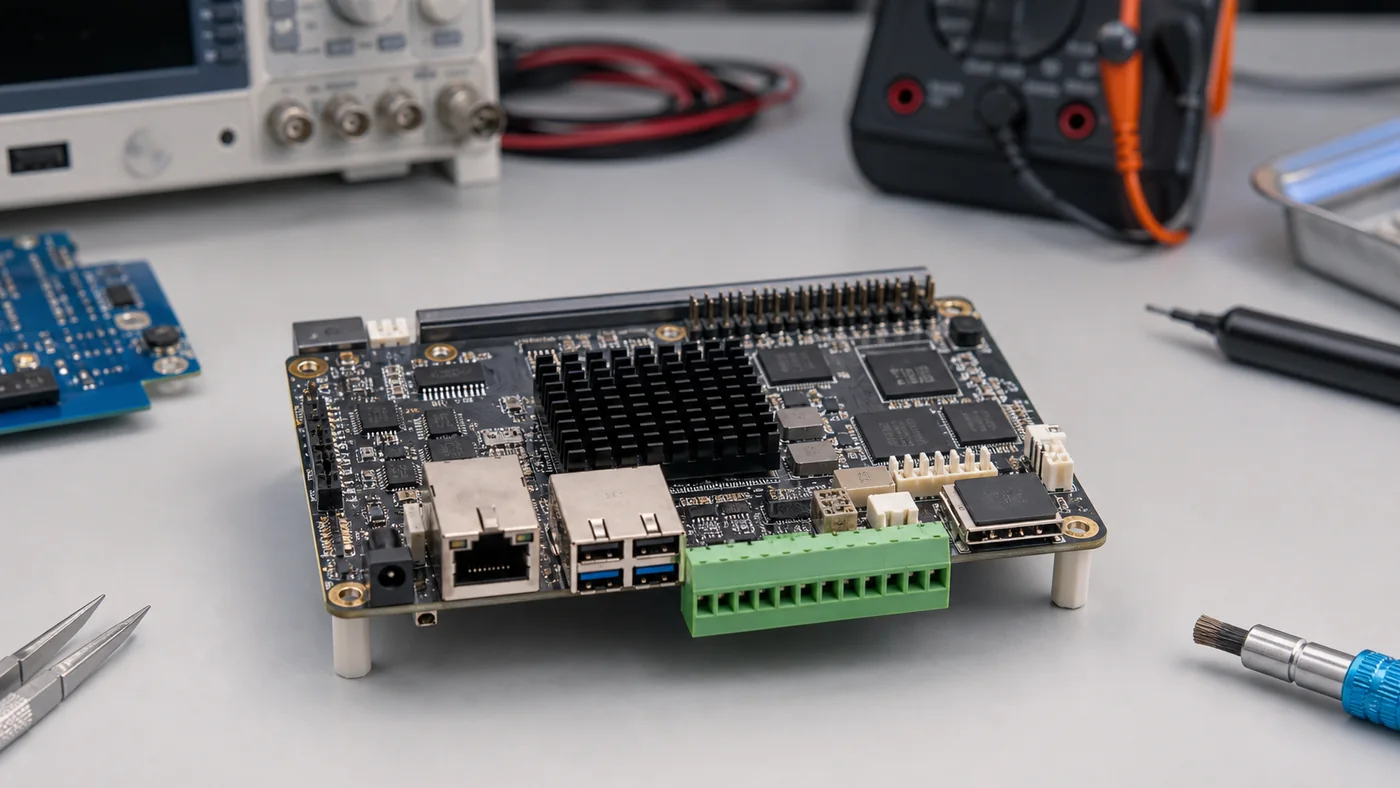
Industrial Android SBC selection often starts with CPU, RAM, Android version, and display resolution. Those specifications matter, but they do not tell the whole story. In many real products, the project succeeds or fails because of interfaces: Ethernet, RS485, CAN, USB, GPIO, display, touch, audio, wireless, power, and debug access.
An industrial Android SBC is rarely an isolated computer. It connects to PLCs, sensors, relays, displays, touch panels, cameras, networks, payment devices, barcode scanners, audio amplifiers, cloud platforms, and factory tools. If the required interface is missing, unstable, poorly documented, or inaccessible from Android applications, the board may not be usable even if the processor is powerful.
This article explains the interfaces engineers should evaluate before choosing an industrial Android SBC.
Ethernet
Ethernet is still the most reliable network interface for industrial and commercial products. Wi-Fi is convenient, but wired Ethernet is preferred in factories, control cabinets, gateways, kiosks, building systems, and equipment panels where stable communication matters.
Check whether the SBC provides 10/100M or Gigabit Ethernet, the quality of the PHY, connector placement, link recovery behavior, MAC address programming process, and ESD protection. If the product uses PoE, confirm whether PoE is integrated or handled by a separate power module.
Ethernet testing should include cable removal, router restart, DHCP renewal, static IP configuration, long-run transfer, and recovery after suspend or reboot. Android network behavior can be customized, but the BSP must support the required mode.
RS485
RS485 is common in Modbus devices, industrial sensors, energy meters, HVAC controllers, and automation equipment. Many HMI panels and gateways need RS485 for field communication.
When evaluating RS485 on an Android SBC, do not only count UART ports. Confirm the transceiver design, half-duplex direction control, termination options, isolation requirements, baud rate stability, and Android API access.
The application team should test real protocol traffic, not just send a short serial string. Modbus RTU timing, line noise, long cable runs, and multiple devices can reveal problems that a simple loopback test will not catch.
CAN Bus
CAN Bus is used in vehicles, industrial equipment, battery systems, energy storage, robotics, and machine control. Some Android SBCs support CAN through SoC controllers, external SPI CAN controllers, or USB-to-CAN adapters.
For production products, built-in CAN support is usually cleaner than relying on a USB adapter. Engineers should check bitrate support, transceiver design, termination, ESD protection, driver model, and application access.
Linux often uses SocketCAN. Android can use similar kernel support underneath, but application access may require a vendor service or native bridge. If CAN is central to the product, ask for sample code and run long-duration bus tests.
USB Host and OTG
USB is useful for barcode scanners, cameras, storage devices, Wi-Fi modules, cellular modules, printers, payment peripherals, and factory tools. Industrial Android products often need at least one stable USB host port.
Check the number of USB host ports, USB 2.0 vs USB 3.0 support, power budget, hot-plug stability, ESD protection, connector type, and Android permission behavior. If the product relies on a USB peripheral, test repeated plug/unplug, reboot recovery, and sleep/wake behavior.
USB OTG may be used for firmware flashing, debugging, or service tools. In production, OTG behavior should be controlled so users cannot access unintended system functions.
GPIO
GPIO is useful for buttons, LEDs, relays, reset lines, interrupt signals, sensor inputs, and simple control. On Android, GPIO access is not always straightforward.
Before choosing a board, confirm:
- Voltage level
- Input/output direction
- Pull-up or pull-down configuration
- Current capability
- ESD protection
- Kernel control method
- Android application access
- Boot default state
Boot state is especially important. A GPIO connected to a relay or enable line should not toggle unexpectedly during startup.
Display Interfaces
Industrial Android SBCs may support MIPI DSI, LVDS, RGB, HDMI, or eDP. The best interface depends on display size, resolution, cable distance, enclosure design, and available driver support.
LVDS is common for industrial displays because it supports stable differential signaling and practical cable lengths. MIPI DSI is useful for compact high-resolution panels. HDMI is convenient for evaluation but not always ideal for compact production devices.
Display support must be tested with the final panel. Check timing, backlight control, power sequencing, rotation, brightness, sleep/wake, and recovery after reboot. For display modules and touch assemblies, the panel, touch, cable, and embedded board requirements should be aligned early.
Touch Interface
Most Android HMI products use capacitive touch through I2C or USB. The touch controller must have stable kernel driver support and correct Android input mapping.
Important checks include:
- Multi-touch support
- Orientation mapping
- Wake from touch
- Glove support
- Water rejection
- Cover glass thickness
- ESD behavior
- Noise immunity
- Recovery after suspend
Touch should be tested in the final mechanical structure. A touch panel that works on an open bench may behave differently after cover glass, bonding, grounding, and enclosure assembly.
Audio
Audio may seem secondary, but many HMI products need alarms, voice prompts, intercom functions, or confirmation sounds. Check speaker amplifier output, microphone input, audio codec support, volume control, and Android audio routing.
For industrial environments, the speaker must be loud enough and mechanically protected. For smart home or medical-adjacent devices, audio quality and microphone placement may matter more.
Wireless Interfaces
Wi-Fi and Bluetooth are common in smart panels, retail devices, and connected terminals. Industrial products may also need LTE, GNSS, Zigbee, Thread, or other modules.
Wireless evaluation should include antenna placement, enclosure material, regulatory requirements, coexistence with display cables, power stability, reconnection behavior, and Android driver support. A good module on a poorly designed antenna layout can perform badly.
Camera Interfaces
Some Android SBC products need camera input for QR scanning, face recognition, inspection, video calls, or medical imaging. Interfaces may include MIPI CSI, USB camera, or parallel camera.
For Android, camera support depends heavily on BSP integration. Confirm whether the camera appears through the Android Camera API, whether autofocus and exposure work, and whether the application can access the required resolution and frame rate.
Power Input
Industrial products need robust power design. A board designed for 5V USB evaluation may not be enough for field equipment. Check input voltage range, reverse polarity protection, surge protection, brownout behavior, power sequencing, standby power, and recovery after power loss.
If the HMI connects to motors, relays, or long cables, power noise can cause resets or display flicker. Test with the final power supply, not only a lab adapter.
Debug and Production Interfaces
Debug interfaces such as UART console, USB flashing, recovery buttons, JTAG, or test pads are important during development and manufacturing. They should be available to engineers but controlled in production.
Production tools may require:
- Firmware flashing port
- Serial number programming
- MAC address programming
- Touch test access
- LCD test pattern mode
- Factory reset control
- Log export method
These interfaces reduce manufacturing cost and improve field support.
Interface Selection Checklist
| Interface | Hardware question | Software question |
|---|---|---|
| Ethernet | Is PHY and protection suitable? | Does link recover reliably? |
| RS485 | Is direction control handled? | Is there an Android API? |
| CAN | Is transceiver included? | Can the app access CAN reliably? |
| USB | Is power budget enough? | Does hot-plug work after reboot? |
| GPIO | Are boot states safe? | Can the app control pins? |
| Display | Does timing match? | Is panel driver stable? |
| Touch | Is grounding correct? | Are input events mapped correctly? |
| Power | Is field input supported? | Does system recover after brownout? |
Conclusion
The right industrial Android SBC is not defined only by processor speed. Interfaces determine whether the board can become a real product. Ethernet, RS485, CAN, USB, GPIO, display, touch, wireless, power, and debug access must be evaluated from both hardware and software perspectives.
A connector is only useful if the electrical design is robust, the driver is stable, the Android application can access it, and the behavior remains reliable after reboot, suspend, OTA update, and long-term operation. For industrial products, interface validation is product validation.
Frequently Asked Questions
Which interfaces are most important on an industrial Android SBC?
The most important interfaces depend on the product, but common requirements include Ethernet, RS485, CAN, USB, GPIO, display output, touch input, power input, and debug access.
Can Android applications use RS485 and CAN directly?
Sometimes, but it depends on the BSP. Many Android SBCs expose industrial interfaces through vendor SDKs, native services, HAL layers, or custom permissions rather than standard Android APIs.
Why should engineers check software access before choosing a board?
A connector on the board is not enough. The application must be able to access the interface reliably under production permissions, after reboot, during long operation, and after OTA updates.