
SBC vs SoM vs CoM: Which Embedded Architecture Fits Your Product?
Compare SBC vs SoM vs CoM architectures by carrier-board work, NRE, time-to-market, thermal design, lifecycle, upgrade options, and production risk.
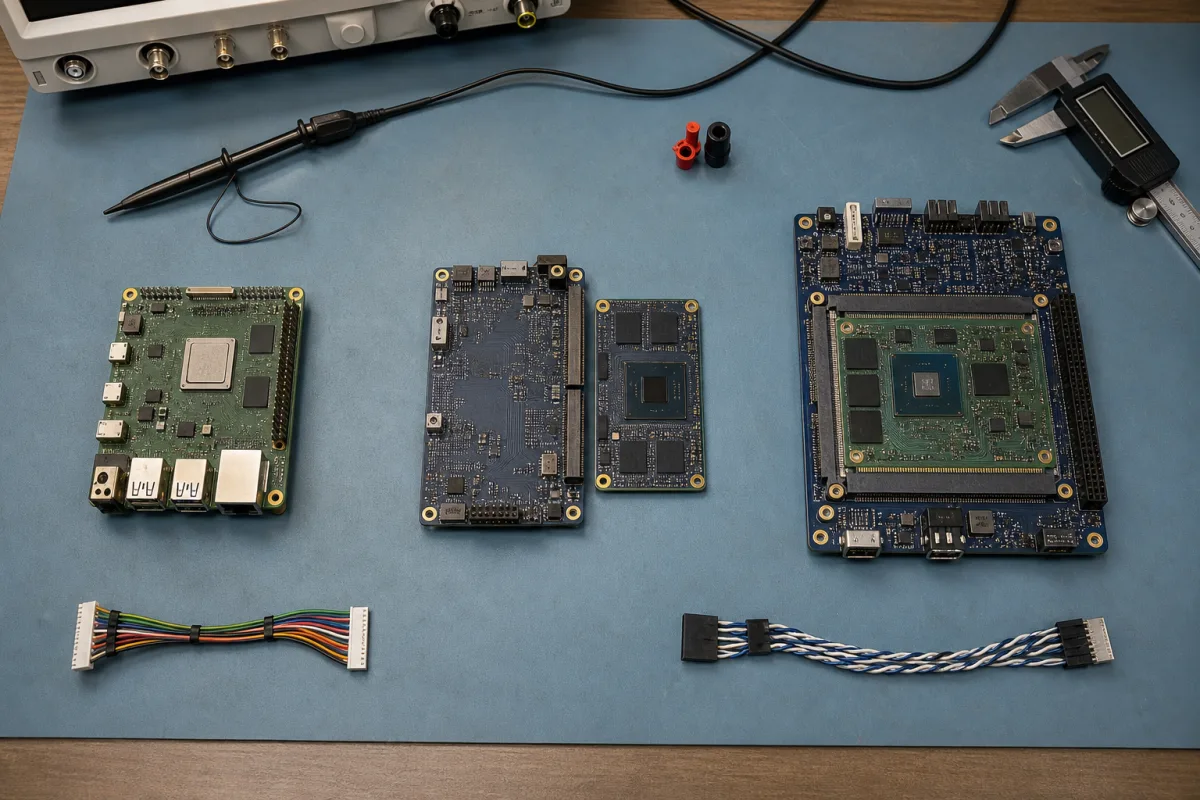
Teams often ask us for an “SBC with a replaceable core,” which is already a clue that they may not want an SBC. They want the product connectors and power circuitry to remain fixed while the processor, memory, and operating system platform can change. That is a module-and-carrier architecture.
The terminology does not help. Vendors use system-on-module and computer-on-module inconsistently, and some call a complete board a core board. For a useful SBC vs SoM vs CoM decision, ignore the marketing name and draw the hardware boundary: which board contains the processor and memory, which board contains product I/O, whether the interconnect follows a published standard, and who validates each side.
No architecture is inherently more industrial. Reliability comes from component selection, power and thermal design, validation, software maintenance, manufacturing control, and the final enclosure.
Definitions That Work at the Schematic Level
An SBC is a complete computer on one PCB. It usually includes the SoC, RAM, storage, power regulation, and usable connectors. Add a supply, cooling, and peripherals, and it can run without another mandatory circuit board.
A SoM puts the difficult compute section on a smaller module: SoC, DDR, PMIC or power sequencing, boot storage, and often Ethernet PHY or radio. It plugs or solders onto a carrier that implements input power, external connectors, display paths, transceivers, protection, and mechanics.
CoM describes the same two-board idea, but in many industrial discussions it implies a standardized module family. PICMG’s COM Express and SGET’s SMARC are examples. That distinction is useful but not universal, so never infer compatibility from the letters “CoM.”
| Architecture | Complete without a carrier? | Product-specific PCB | Common interconnect | Primary engineering ownership |
|---|---|---|---|---|
| SBC | Yes | Optional adapter or none | External connectors and headers | System integration |
| Proprietary SoM | No | Carrier required | Vendor-specific board-to-board connector | Carrier plus vendor module |
| Standardized CoM/SoM | No | Carrier required | Published standard such as SMARC or COM Express | Carrier plus standard-compliant module |
| Fully custom board | Yes | The complete processor board | None between compute and I/O | Entire board and BSP |
Some modules blur the rows. The only safe approach is to read the pinout, mechanical drawing, carrier guide, thermal specification, and lifecycle terms.
An SBC Buys the Fastest Hardware Start
For low and moderate volume, an SBC often wins. The processor, DDR, storage, and major interfaces have already been built and tested. Software teams can start on day one, and the mechanical team has a physical board. There is no high-density module connector or custom carrier to procure.
The cost appears later if the board shape, connector placement, or power input does not match the product. HDMI and USB cables behind an LCD take space. Adapters for CAN, RS485, audio, or isolated I/O add assembly time. Unused connectors consume BOM cost and create enclosure openings. A board change controlled by the supplier may force a requalification even when the product requirement did not change.
Choose an SBC when annual volume does not justify carrier NRE, speed matters, the available mechanics are acceptable, and the board’s exact I/O and BSP are close to the finished product. A carefully selected industrial Android board can be less risky than a theoretically elegant modular design with an immature carrier.
A SoM Moves the Hard Processor Work Upstream
DDR routing, PMIC sequencing, boot configuration, and processor bring-up are concentrated on the module. The carrier designer works with lower-risk power input and I/O plus some high-speed interfaces such as USB, PCIe, MIPI, Ethernet, or display outputs. That is still serious hardware design, but it is narrower than a new processor board.
The carrier can match the enclosure exactly, place locking connectors at the cable exits, integrate protection and isolation, and remove unwanted interfaces. Product teams can also begin application work on the module vendor’s development carrier while the custom carrier is being routed.
The price is a two-board BOM, module connector, mounting hardware, and dependence on the module supplier. A compact design may be thicker than a single custom PCB. Thermal contact must account for stack height and tolerance. High-speed signals cross an additional connector. Carrier layout errors can still damage signal integrity or prevent the system from booting.
Use a proprietary SoM when the vendor offers a strong processor roadmap, BSP, design support, and lifecycle, and when switching module suppliers is less important than compact size or a familiar platform. Put the full pinout revision and supported module list on the carrier drawing.
A Standard CoM Buys Options, Not Automatic Compatibility
Standards define mechanical sizes, connectors, pin assignments, electrical rules, and interfaces. SGET describes SMARC modules as low-power compute building blocks used with application-specific carriers. PICMG describes COM Express as a standardized compute module plus carrier architecture, with multiple pinout types and module sizes.
That structure can support supplier choice and future processors. But “same standard” does not mean “drop in any module.” Check:
- specification revision and pinout type;
- carrier voltages and power budget;
- implemented and unused interfaces;
- module height, keep-outs, and heat-spreader geometry;
- firmware, boot storage, and OS support;
- lane routing and signal-integrity limits;
- thermal dissipation at the new processor’s sustained load.
A carrier designed only for the first module’s 8 W load may not support a later 25 W module even if the connector fits. A display lane populated on one module can be absent or multiplexed differently on another. Standardization improves the negotiation and migration path; validation remains mandatory.
SMARC is well aligned with low-power Arm and embedded products. COM Express covers higher-performance x86 and edge-computing designs as well as some other processor options. Choose the standard from the I/O, performance, power, ecosystem, and physical envelope, not from name recognition.
Performance Depends on the Whole Thermal Path
If an SBC and SoM use the same SoC, memory width, storage, and software, their peak benchmark results may be similar. Sustained performance can differ because of memory population, PMIC limits, PCB temperature, heat spreader, module connector, and enclosure contact.
The module architecture can simplify cooling by exposing a defined heat-spreader surface. It can also create an extra tolerance stack: SoC to module spreader, spreader to gap pad, pad to enclosure. Measure compression and use the vendor’s mounting force limits. Do not bridge a tall component with a thick random pad and assume the PCB will remain flat.
Power is split between module and carrier. Capture startup peak, sleep rails, USB and display loads, and reverse-current paths. Test the carrier with the highest-power compatible module, not only the lowest-power launch configuration. The performance of fanless enclosure cooling must be measured at system level regardless of form factor.
NRE, Unit Cost, and Schedule Trade Places
The module route reduces processor-board NRE but adds carrier work and recurring module margin. Full custom carries more NRE and may offer the lowest optimized BOM at sufficient volume. An SBC has the smallest initial engineering bill and can carry unused recurring cost.
| Cost area | SBC | SoM plus carrier | Full custom board |
|---|---|---|---|
| Initial hardware NRE | Low | Medium | High |
| First software start | Immediate on available BSP | Immediate on development carrier | Usually after reference-board setup; final hardware later |
| Custom mechanics and I/O | Limited | Strong | Maximum |
| Recurring board count | One board, possible adapters | Module plus carrier | One optimized board |
| Processor-board validation | Supplier-owned | Module supplier-owned | Project-owned |
| Upgrade flexibility | Replace complete SBC | Potential module replacement | New board revision |
| Supplier dependence | SBC vendor | Module vendor and connector ecosystem | Manufacturer plus component supply |
For planning, a moderate custom carrier may be $35,000–$100,000 in engineering and validation, while a full ARM SBC can begin around $80,000 and run past $250,000. Complexity matters more than label. The custom board budget model lists the assumptions behind those ranges.
Software Portability Is Usually Overestimated
Changing modules can keep the carrier stable while changing the SoC vendor, boot firmware, kernel, GPU, NPU, codecs, camera pipeline, and Android BSP. The application may be portable; the system image often is not.
For Linux, mainline driver support and standard interfaces can make migration easier, but board-specific device trees, boot flows, and accelerators remain. For Android, vendor partitions, HALs, SELinux, media components, signing, and update layout tie the product more closely to the BSP. A module roadmap is most valuable when it includes software migration, not just pin compatibility.
Ask the supplier to name an actual predecessor-to-successor migration. Which carrier changes were needed? Did the display and radio remain supported? Was the Android application rebuilt only, or was the system ported? How long did validation take? Real migration records are stronger than an arrow on a roadmap slide.
Lifecycle and Service Change the Answer
An SBC is simple to replace as a service part if the exact model remains available. A module can be replaced independently of the carrier, but field technicians must access the connector, fasteners, and thermal interface without damaging them. A fully custom board can integrate everything cleanly but requires stocking the complete assembly.
For a ten-year product, SBC lifecycle planning must cover minimum module or board availability, PCN and EOL terms, approved alternatives for memory and storage, connector lifecycle, and software support. A standard module creates more sourcing possibilities, although qualifying a second supplier early is the only way to prove the benefit.
Keep carrier test points and recovery access even if the first prototype works. Production must program identity and keys, test carrier I/O, verify the module, and link both serial numbers. Define whether an RMA swaps the module, carrier, or complete assembly and how software compatibility is maintained.
A Short Architecture Decision
Use an SBC when the available board already fits, volume is modest, and launch speed is the primary constraint. Use a SoM and custom carrier when product-specific mechanics and I/O matter but the team does not want to own DDR, PMIC, and processor bring-up. Prefer a standardized CoM when multiple suppliers or a processor upgrade path has measurable value and the standard fits the power and I/O. Design a full custom SBC when volume and product differentiation justify owning the complete platform.
Then prototype the uncertain boundary. For an SBC, test adapters, cables, and enclosure thermals. For a module, build or review the carrier’s riskiest high-speed path. For a future upgrade, obtain the second module now and prove it on the carrier. Architecture becomes credible when the claimed benefit survives that test.
Official References
Frequently Asked Questions
What is the difference between an SBC and a SoM?
An SBC is intended to operate as a complete computer on one board. A SoM concentrates the processor, memory, power sequencing, and often storage on a module that requires a carrier board for product-specific connectors, power input, and I/O.
Are SoM and CoM the same thing?
The terms overlap and vendors often use them interchangeably. CoM more often suggests a module built to a defined computer-on-module standard such as SMARC or COM Express, while SoM is frequently used for compact Arm modules with either standard or proprietary pinouts. Always check the actual specification.
Is a SoM cheaper than an SBC?
Not necessarily per purchased unit. A SoM adds a carrier board and two-board assembly, but it can reduce processor-board NRE and accelerate development. Cost depends on volume, carrier complexity, module pricing, connectors, thermal parts, and lifecycle.
Can a CoM be upgraded without redesigning the carrier?
Sometimes, but not automatically. The replacement must match pinout type, voltage, firmware, thermal envelope, mechanical clearance, interface routing, and carrier implementation. Standardization improves options; it does not eliminate validation.