
Android SBC and Display Integration for Smart Connected Devices
A practical guide to Android SBC and display integration for smart connected devices, covering hardware architecture, display interfaces, touch control, connectivity, software customization, reliability, and supplier selection.
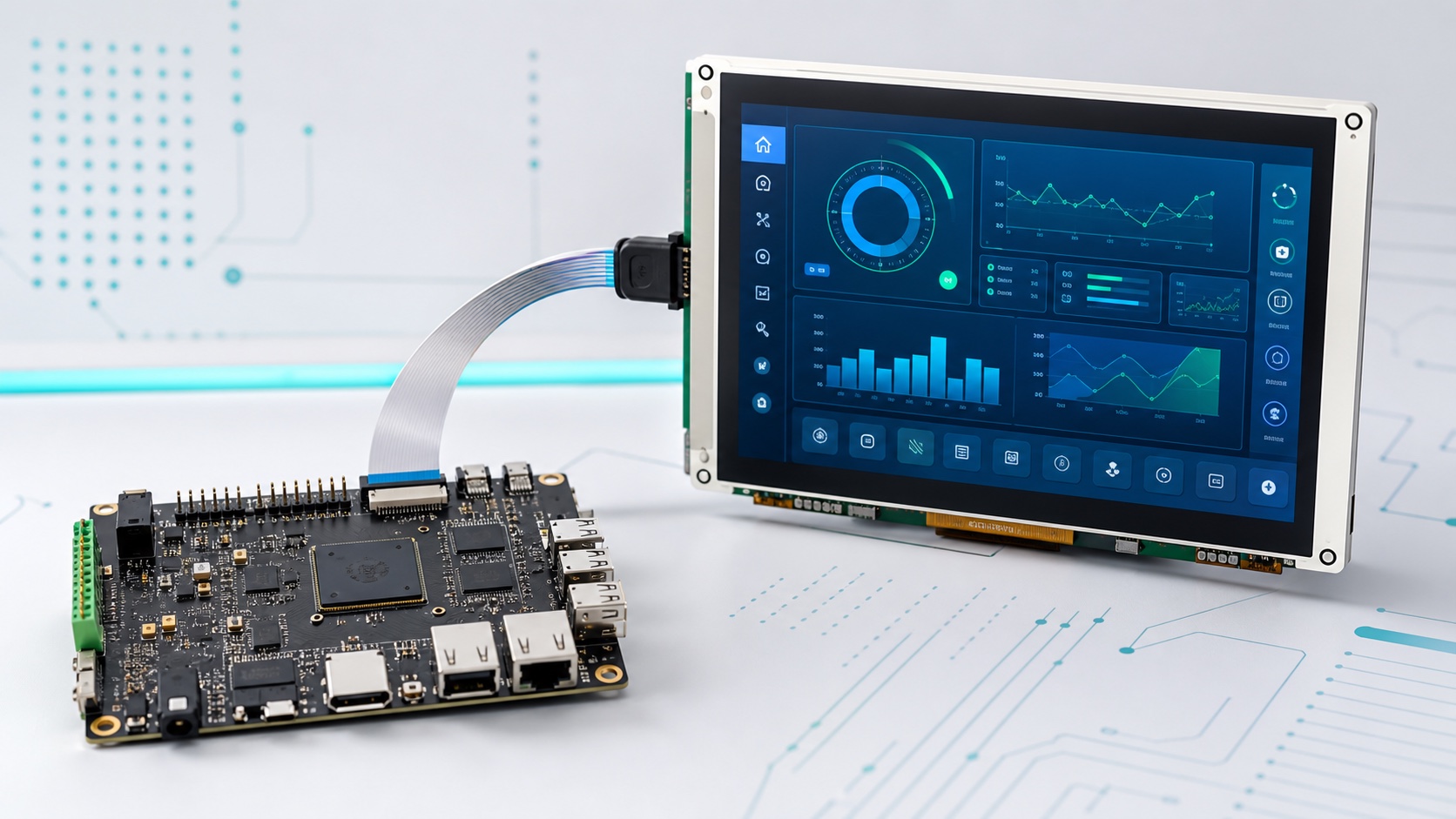
Smart connected devices are no longer defined only by processor speed or wireless capability. In many products, the real user experience is shaped by the display, touch panel, software interface, boot behavior, enclosure design, and long-term system reliability. This is especially true for smart home control panels, industrial HMIs, medical terminals, EV charger screens, retail devices, access control panels, and IoT gateways with local user interfaces.
An Android SBC can be a strong platform for these products because it combines ARM computing performance, a mature graphical operating system, multimedia support, networking, and application-level flexibility. However, a successful product requires more than connecting a screen to a board. The SBC, TFT LCD, touch panel, power design, wireless module, enclosure, firmware, and application software must be planned as one system.
This article explains how Android SBCs and embedded displays work together in smart connected devices, what engineers should evaluate during hardware selection, and why display integration should be considered early in the product design process.
Why Display Integration Matters in Android SBC Products
For many embedded products, the display is the first thing users notice and the main way they interact with the device. A smart home panel may need smooth touch response and a clean visual interface. An industrial HMI may need stable operation, clear status indicators, strong sunlight readability, and reliable communication with controllers. A medical terminal may need accurate colors, easy cleaning, controlled brightness, and long operating life.
The Android SBC sits at the center of this experience. It drives the display, processes touch input, runs the application, communicates with external devices, connects to cloud services, and controls system-level behavior such as boot, sleep, updates, and recovery.
If the board and display are selected separately, problems often appear later:
- The display interface does not match the SBC.
- The LCD timing requires kernel or device tree changes.
- The touch controller does not have stable driver support.
- The enclosure does not leave enough space for cables or connectors.
- The backlight power design causes flicker or thermal issues.
- The Android system cannot be customized enough for kiosk operation.
- The supplier cannot support production firmware or long-term component changes.
These problems are usually expensive to fix after mechanical design or pilot production has started. A better approach is to treat the Android SBC and display as one integrated subsystem from the beginning.
Common Applications for Android SBC and Display Systems
Android SBC display systems are widely used where products need a rich graphical interface and network connectivity. Typical applications include:
- Smart home wall panels
- Building automation terminals
- Industrial HMI control panels
- EV charging station displays
- Medical and healthcare terminals
- Retail POS and self-service kiosks
- Access control and intercom panels
- Energy management dashboards
- Kitchen appliances and commercial equipment
- IoT gateways with local monitoring screens
These products share several requirements. They need a responsive user interface, stable touch operation, reliable communication, and a hardware platform that can be manufactured consistently. Many also require customized Android firmware, branded boot screens, locked-down application modes, and over-the-air update support.
Choosing the Right Android SBC Platform
The Android SBC should be selected according to the final product requirement, not only by comparing CPU frequency or memory size. Engineers should start with the screen size, resolution, application complexity, interface requirements, power design, and lifecycle expectations.
For a compact smart home panel with a 7-inch display, a quad-core ARM SoC with 2GB RAM and eMMC storage may be enough. For an industrial HMI with high-resolution graphics, video playback, browser-based dashboards, or multiple background services, a stronger processor, better GPU performance, and 4GB RAM may be more appropriate.
Important SBC selection factors include:
- Android version and BSP maturity
- Display interface support
- Touch controller compatibility
- CPU, GPU, RAM, and eMMC performance
- Wi-Fi, Bluetooth, Ethernet, USB, UART, RS485, CAN, and GPIO support
- Power input range and protection design
- Thermal behavior inside the target enclosure
- Firmware customization capability
- OTA update support
- Production testing and long-term supply
For companies developing professional connected products, working with an experienced embedded hardware partner can reduce integration risk. Suppliers such as Avontek provide embedded system and display-related solutions that can help product teams evaluate Android boards, touch displays, custom interfaces, and production requirements as a complete platform instead of isolated parts.
Display Interface Options
The display interface is one of the most important technical decisions in an Android SBC project. The wrong interface can add cost, increase design complexity, or limit future product options.
Common display interfaces include RGB, LVDS, MIPI DSI, HDMI, and eDP. Each interface has its own advantages.
RGB parallel interfaces are simple and common in lower-resolution displays. They can be suitable for compact panels, but they require many signal lines and are usually better for short board-to-display connections.
LVDS is widely used in industrial displays and larger panels. It provides stable differential signaling, supports longer cable distances than RGB, and is common in 7-inch to 15.6-inch embedded displays.
MIPI DSI is widely used in modern mobile and smart device designs. It supports high resolution with fewer signal lines and is often suitable for compact, thin products. However, MIPI DSI integration may require more careful driver and panel initialization support.
HDMI is convenient for evaluation boards and external monitors. It is less ideal for many embedded mass-production products because the connector, cable, and mechanical arrangement may not match compact enclosure requirements.
eDP is often used for high-resolution panels and some industrial or computing products. It can be a good choice when the platform and display both support it, but it may not be available on every Android SBC.
Before choosing the display, engineers should confirm resolution, refresh rate, voltage levels, connector type, cable length, signal integrity, backlight control, and software driver support.
Touch Panel Integration
Most Android display products use capacitive touch panels because users expect smartphone-like interaction. A good touch experience depends on more than the touch IC itself. Cover glass thickness, grounding, LCD noise, power supply quality, enclosure material, and software tuning all affect performance.
Important touch considerations include:
- I2C or USB touch controller interface
- Android kernel driver availability
- Multi-touch support
- Glove operation
- Water rejection
- ESD protection
- Cover glass thickness
- Optical bonding or air bonding
- Touch calibration and firmware tuning
In industrial or medical environments, touch reliability is especially important. The product may be used with gloves, exposed to moisture, cleaned frequently, or installed near equipment that generates electrical noise. Engineers should test touch performance under real operating conditions, not only on a lab bench.
Android Firmware Customization
An Android SBC used in a smart connected device is usually not meant to behave like a consumer tablet. The product often needs a dedicated user experience, controlled system access, and a stable long-term operating mode.
Common firmware customization tasks include:
- Custom boot logo and boot animation
- Auto-start application
- Kiosk mode
- Hidden navigation and status bars
- Disabled unnecessary apps and services
- Controlled system settings
- Custom device permissions
- Serial, CAN, GPIO, or RS485 access from applications
- OTA update and recovery behavior
- Watchdog and system health monitoring
These changes usually require BSP-level support. Application developers can build the user interface, but deeper system behavior often depends on kernel drivers, Android framework configuration, HAL services, and vendor tools. This is why supplier support matters when moving from prototype to production.
Connectivity and Edge Functions
Smart connected devices often act as both user interfaces and edge nodes. They may connect with sensors, controllers, cloud platforms, mobile apps, and local networks.
For industrial HMIs, RS485 and CAN are common for machine communication, energy systems, and fieldbus-related applications. Ethernet provides stable networking for factories and commercial buildings. Wi-Fi and Bluetooth are useful for smart home devices, retail terminals, and products where cable routing is difficult.
Many Android SBC products also need MQTT, HTTPS, WebSocket, local API access, or cloud device management. The hardware platform should provide stable networking, while the software should handle reconnection, authentication, data buffering, and secure updates.
Security should be planned from the beginning. Debug ports, USB access, root permissions, default passwords, unencrypted communication, and uncontrolled app installation can all create field risks. For connected products, reliability and security are part of the same engineering problem.
Mechanical and Thermal Design
Display products are constrained by the enclosure. A wall panel may need to be thin and visually clean. An industrial HMI may need a sealed front panel and robust mounting. A medical terminal may need a smooth surface for cleaning. A kiosk display may need higher brightness and stronger glass.
The SBC layout affects connector direction, cable routing, antenna placement, heat spreading, service access, and production assembly. If the LCD, touch panel, SBC, power board, speaker, antenna, and mounting structure are not designed together, small mechanical conflicts can delay the project.
Thermal design is also important. Android SBCs can generate more heat than simple microcontroller boards, especially when driving high-resolution graphics, video, wireless networking, or continuous background services. Sealed enclosures can trap heat and reduce component life. Engineers should evaluate power consumption, PCB copper area, heat spreaders, enclosure material, and ambient temperature early.
Reliability and Production Readiness
A prototype can work well for a short demo while still being far from production-ready. For commercial and industrial products, reliability depends on consistent hardware, stable firmware, repeatable manufacturing, and clear test procedures.
Production readiness should include:
- Stable hardware revision control
- Defined component lifecycle plan
- Firmware flashing process
- MAC address and serial number programming
- LCD and touch test procedures
- Aging tests
- Power cycle tests
- OTA update validation
- ESD and EMI considerations
- Clear repair and replacement process
Long-term supply is especially important for embedded products. If a display, wireless module, memory chip, or power IC becomes unavailable, the product may require redesign and software changes. A production-focused supplier should help manage these risks before they interrupt shipments.
Practical Selection Checklist
Before committing to an Android SBC and display design, engineering teams should answer these questions:
- What screen size, resolution, brightness, and viewing angle are required?
- Which display interface is best for the enclosure and SBC?
- Does the touch panel have stable Android driver support?
- Is the processor powerful enough for the UI and background services?
- Is there enough RAM and eMMC capacity for future software updates?
- Which wired and wireless interfaces are required?
- Will the product run in kiosk mode or a locked application environment?
- How will firmware updates be delivered and recovered?
- Can the platform pass thermal testing inside the final enclosure?
- Are production test tools and long-term supply plans available?
Answering these questions early helps avoid expensive redesigns and makes the path from evaluation board to finished product much smoother.
Conclusion
Android SBC and display integration is a key part of modern smart connected device design. The board, display, touch panel, firmware, enclosure, communication interfaces, and production process must work together as one system.
For smart home panels, industrial HMIs, medical terminals, EV chargers, retail devices, and IoT gateways, Android provides a flexible software platform and a strong user experience. At the same time, successful products require careful attention to display compatibility, touch reliability, firmware customization, connectivity, mechanical design, thermal behavior, security, and long-term supply.
The best Android SBC display solution is not simply the board with the highest specification or the screen with the highest resolution. It is the platform that matches the product’s real application, manufacturing process, and lifecycle requirements. By planning integration early, product teams can reduce risk, improve user experience, and move from prototype to mass production with fewer surprises.
Frequently Asked Questions
Why is display integration important in Android SBC projects?
Display integration affects the user experience, touch reliability, enclosure design, power behavior, and BSP work. A board and screen should be validated together before the product moves toward production.
Which display interfaces are used with Android SBCs?
Android SBC products commonly use MIPI DSI, LVDS, RGB, HDMI, or eDP. The right interface depends on panel resolution, cable distance, mechanical design, signal integrity, and driver availability.
What causes display integration problems?
Common problems include unsupported LCD timing, missing device tree settings, unstable backlight control, touch driver issues, poor cable routing, wrong voltage levels, and insufficient vendor BSP support.
Should the touch panel be selected with the SBC?
Yes. Touch performance depends on controller driver support, I2C or USB integration, cover glass, grounding, ESD protection, and electrical noise. It should be tested with the final display and enclosure.
What should a production-ready Android SBC display solution include?
It should include stable display and touch drivers, correct power sequencing, backlight control, thermal validation, mechanical fit, firmware update support, test procedures, and long-term component planning.